AI Chatbots for Small Business: What They Can Really Do (and Where They Fall Short)

If you run a small business, you already know the pattern. The same handful of questions arrive every day — Are you open on Sunday? Do you deliver to my area? Where is my order? Can I return this? — across your website, WhatsApp, Instagram and email. Each one only takes a minute to answer. Together, they quietly eat hours of your team’s week, and the ones that arrive after closing time often go unanswered until a customer has already gone elsewhere.
AI chatbots promise to fix this. Some of that promise is real, and some of it is marketing. This article separates the two, so you can decide whether a chatbot makes sense for your business and how to set one up without frustrating your customers.
The hidden cost of repeat questions
Repeat enquiries are expensive in ways that rarely show up on a spreadsheet:
- Staff time: skilled people spend part of every day typing the same answers instead of selling, serving or solving real problems.
- Slow replies: when the team is busy, simple questions wait — and customers who wait often don’t come back.
- After-hours gaps: many customers browse and ask questions in the evening, exactly when nobody is there to reply.
- Inconsistency: different staff give slightly different answers about prices, policies or timings.
None of these problems need a bigger team. They need the routine questions handled reliably, so people can focus on the conversations that matter.
What a modern AI chatbot does well
Today’s AI assistants are very different from the rigid “press 1 for sales” bots of a few years ago. When set up properly, they handle a surprising amount of everyday work:
- Answering FAQs from your own information. Trained on your policies, price lists and product details, the assistant answers in natural language — even when customers phrase questions in unexpected ways.
- Checking order and booking status. Connected to your order system or booking calendar, it can tell a customer exactly where things stand.
- Capturing leads. It can ask a few qualifying questions, collect contact details and pass a ready-to-call lead to your sales team.
- Booking appointments. For clinics, salons, consultants and service businesses, it can offer available slots and confirm bookings.
- Working around the clock. It replies instantly at 2 a.m. on a Sunday as reliably as at 11 a.m. on a Tuesday.
- Handing over to a human. A well-designed assistant knows its limits and passes the conversation — with full context — to a person when needed.

What a chatbot should not do
Being clear about limits is what separates a helpful assistant from a frustrating one. Keep a person in charge of:
- Complaints and upset customers. Empathy and judgement matter more than speed here.
- Refunds, discounts and exceptions. Anything that commits your business financially should be approved by a person.
- Legal, medical or financial advice. The assistant can share general information and direct customers to the right professional, but it should never advise.
- Sensitive personal data. Avoid asking for card details, ID numbers or passwords inside a chat.
The goal isn’t to remove people from customer service. It’s to free them from the questions a machine can answer, so they have time for the ones it can’t.
Rule-based bots vs AI assistants
Not every chatbot is the same. Here’s how the two main approaches compare:
| Rule-based chatbot | AI assistant | |
|---|---|---|
| How it works | Follows fixed menus and keyword rules | Understands natural language and responds conversationally |
| Handles unexpected questions | Poorly — often gets stuck or loops | Well, as long as the answer is in its knowledge |
| Setup effort | Every path must be scripted by hand | Grounded in your documents, then tested and refined |
| Best for | Very simple, fixed flows (e.g. a menu of options) | Varied customer questions, support and lead capture |
| Main risk | Rigid, robotic experience | Confident wrong answers if not grounded and tested |
For most small businesses, an AI assistant grounded in your own information — with clear rules about what it can and can’t do — offers the best balance of flexibility and control.
Where your chatbot should live
The best channel is wherever your customers already talk to you. Common options include:
- Your website: a chat widget that answers visitors’ questions before they leave.
- WhatsApp: often the busiest channel for local businesses, and the one where instant replies make the biggest difference.
- Facebook and Instagram messages: ideal for retail, food and lifestyle brands that sell through social media.
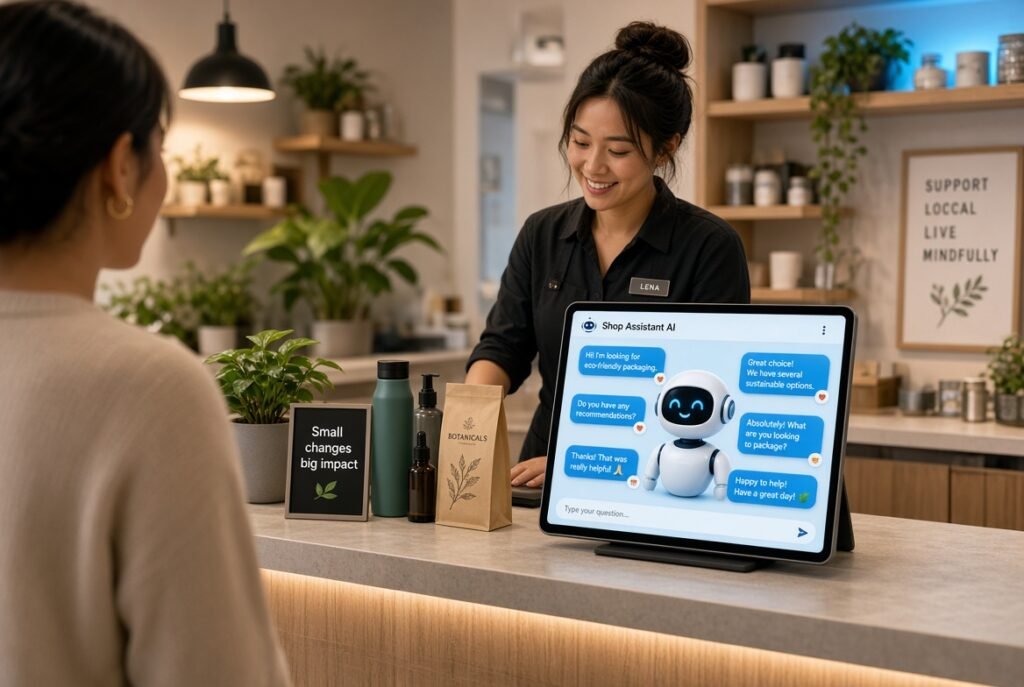
- In-store screens or tablets: helping walk-in customers find products or information while staff are busy.
- Email: drafting replies to common enquiries for your team to review and send.
Start with the one channel that receives the most repetitive questions. Add others once the first is running smoothly.
A 5-step setup checklist
- Collect your real questions. Go through recent messages and emails and list the 20–30 questions customers ask most often, along with your best answers.
- Set the tone and the boundaries. Decide how the assistant should sound (friendly, formal, bilingual?) and write down exactly what it must never do or promise.
- Design the handover. Decide when the conversation goes to a person — for example, complaints, refunds or any question it can’t answer confidently — and who receives it.
- Test with real questions. Before launch, have your team ask it dozens of real customer questions, including awkward ones. Fix the gaps in its knowledge.
- Launch on one channel and review weekly. Read a sample of conversations each week, update its information and refine its answers.
How to measure success
A chatbot should earn its place with clear results. Track a few simple numbers from day one:
- First-response time: how quickly customers receive a useful reply.
- Resolution rate: the share of conversations resolved without a person stepping in.
- Handover rate and reasons: why conversations are passed to staff — these reveal what to teach the assistant next.
- Customer satisfaction: a quick thumbs-up or rating at the end of the chat.
- Leads and bookings captured: especially those that arrive outside business hours.

Compare these against how things worked before launch. If response times fall, staff spend less time on repeat questions and customers are satisfied, the assistant is doing its job. If not, the data will usually show you exactly what to fix.
Final thought
An AI chatbot won’t replace the personal touch that makes a small business special — and it shouldn’t try to. What it can do is make sure no customer waits hours for a simple answer, and give your team back the time to deliver that personal touch where it counts.
Thinking about an AI assistant for your website or WhatsApp? Explore our AI chatbot services or book a free AI consultation and we’ll help you decide whether it’s the right next step for your business.
Frequently asked questions
Can a chatbot answer only from our own content?
Yes, and that is the normal setup for a business assistant. The content you approve becomes its source, and it is configured to say it does not know rather than guess. We describe how that gets scoped on our AI chatbots page.
Will our customer conversations be used to train an AI model?
It depends on the provider and the plan, so check the specific one rather than assuming. OpenAI’s developer documentation states that data sent to its API is not used to train its models by default, and that abuse-monitoring logs are kept for up to 30 days unless an account is approved for zero data retention. Consumer chat products often work differently from business APIs. Our AI data privacy checklist covers what to confirm before you sign up.
How do we know the answers are accurate?
Test before launch against questions you already know the answers to, then keep reviewing real conversations afterwards. NIST’s AI Risk Management Framework treats this as its Measure function, and the principle holds at any size: you cannot manage what you have not measured.
Is a simple rule-based bot ever the better choice?
Yes. If visitors only ever ask five questions, buttons and a clear FAQ page are cheaper, faster and never wrong. Choosing between them is the kind of decision we work through in our 90-day plan.
Related reading
- An AI data privacy checklist for small businesses — what to confirm about a provider before your business data goes anywhere near it.
- What an AI receptionist can and cannot do — the same questions applied to phone calls rather than typing.
- Where to start with AI: a 90-day plan — how to pick a first project and judge whether it worked.
Sources
- OpenAI, Data controls in the OpenAI platform — states that data sent to the OpenAI API is not used to train its models by default, and that abuse-monitoring logs are retained for up to 30 days unless an account is approved for zero data retention.
- NIST, Artificial Intelligence Risk Management Framework (AI RMF 1.0) — a voluntary US framework built around four functions, Govern, Map, Measure and Manage.